TestSnag
Docs Videos Changelog
⌘K
Log in Start free
Video home

Getting started

  • Setting up your workspace
  • Reading your dashboard
  • Creating your first test
  • Running a test and watching it live

Building tests

  • Recording with the Cloud Recorder
  • Editing steps and fixing a selector
  • Adding assertions
  • Building steps with the AI panel
  • Test settings, end to end
  • Sharing and importing tests

Test types

  • Building API tests
  • Building SEO tests
  • Testing an iOS or Android build

Reusable building blocks

  • Reusing steps with blocks
  • Custom scripts
  • Variables and secrets
  • Managing files

Running tests

  • Triaging a failed run
  • Watching a run recording
  • Runs and history
  • Scheduling automated tests
  • Building test suites
  • Triggering tests with webhooks
  • Reading analytics

Notifications and integrations

  • Connecting Slack and other integrations
  • Email reports and dashboard health
  • Outbound webhooks
  • Filing failures into your issue tracker

Workspace and account

  • Workspaces and roles
  • Billing, plans, and usage

Getting started

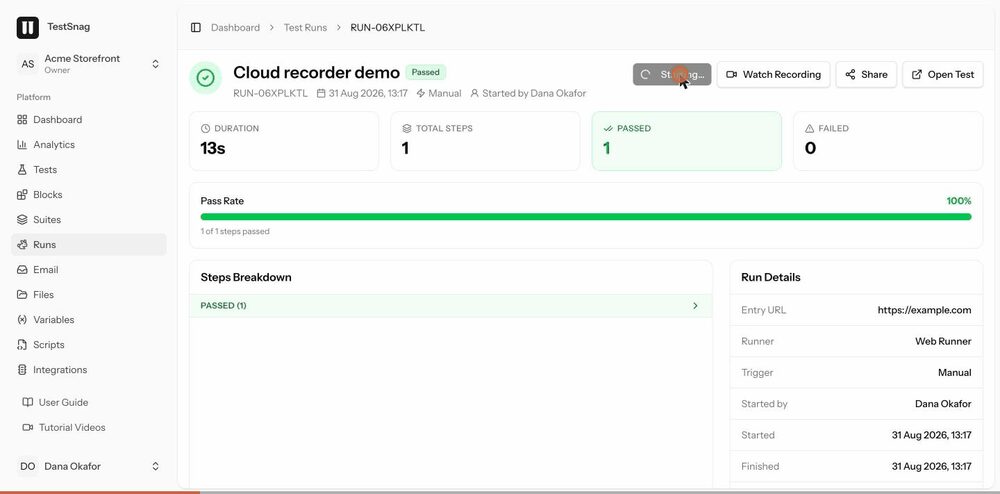
Running a test and watching it live

Trigger a run by hand, follow it step by step as it executes, and see the result the moment it lands.
Running a test and watching it live preview 0:05

What this covers

  1. 1Kick off a manual run from the test page
  2. 2Watch steps tick over as the runner works through them
  3. 3See the run finish and the status settle
  4. 4Open the finished run to read the detail

Read it instead

The guide covers the same ground in writing, with more detail on the edge cases.

Open the guide article
Getting startedCreating your first testBuilding tests Recording with the Cloud Recorder

© 2026 TestSnag

HomeFeaturesPricingChangelogSupport